
Microsoft Remote Desktop has replaced Citrix and Citrix will be closed down shortly.
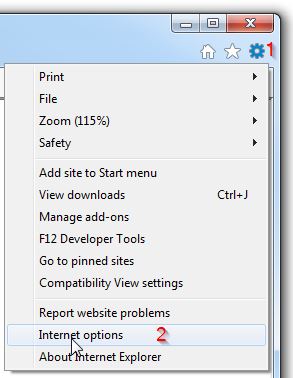
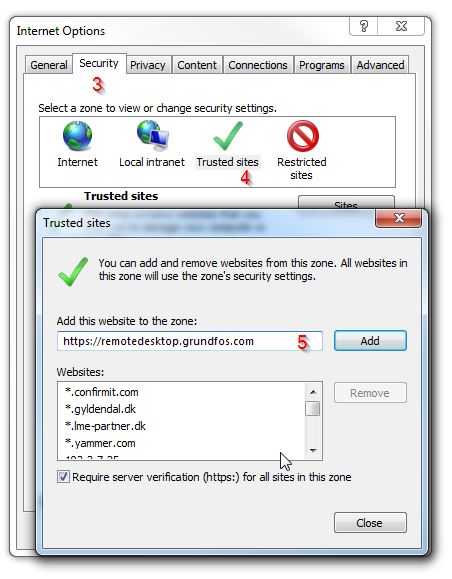
Remotedesktop.Grundfos.com needs to be added to trusted sites (guide step 1-5):
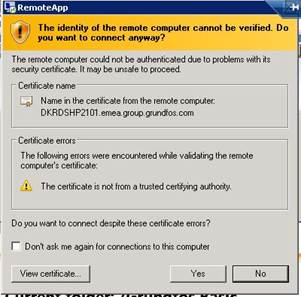
Please accept the certificate request when prompted.
Remote desktop requires Windows 7 or above, running Internet Explore 9 to 11.
Even though the functionality of the two platforms are almost the same, there are some differences in how to log on/access. If you are using "SafeWord" or "MobilPASS" today these will be replaced by "MFA" Multi Factor Authentication. Below you will find some guides (links) for using Remote Desktop and MFA. You need to be logged on to the Grundfos Network for the link below to work.
Remote Desktop information from the WorkSmart portal.
If you have questions or issues regarding Remote Desktop, please contact Grundfos Service Desk by submitting a request from the IS Service Portal or call internal 3333, public +45 87513333.